


TicketSpice in our research
TicketSpice price and terms
Terms
- Free to start
- PartlyPartly
The terms in full
Creating an account is free with no setup or platform fees, and organizers who also run paid events can run free events at no charge; an organizer who runs only free events pays 99¢ per ticket. Source: https://www.ticketspice.com/pricing, FAQ "What do you charge for free events?" — "Event organizers who run paid events can run free events for free. If you are not organizing paid events, the pricing is 99¢ a ticket."
- Sign up without sales
- YesYes
For AI agents
- API
- Partly
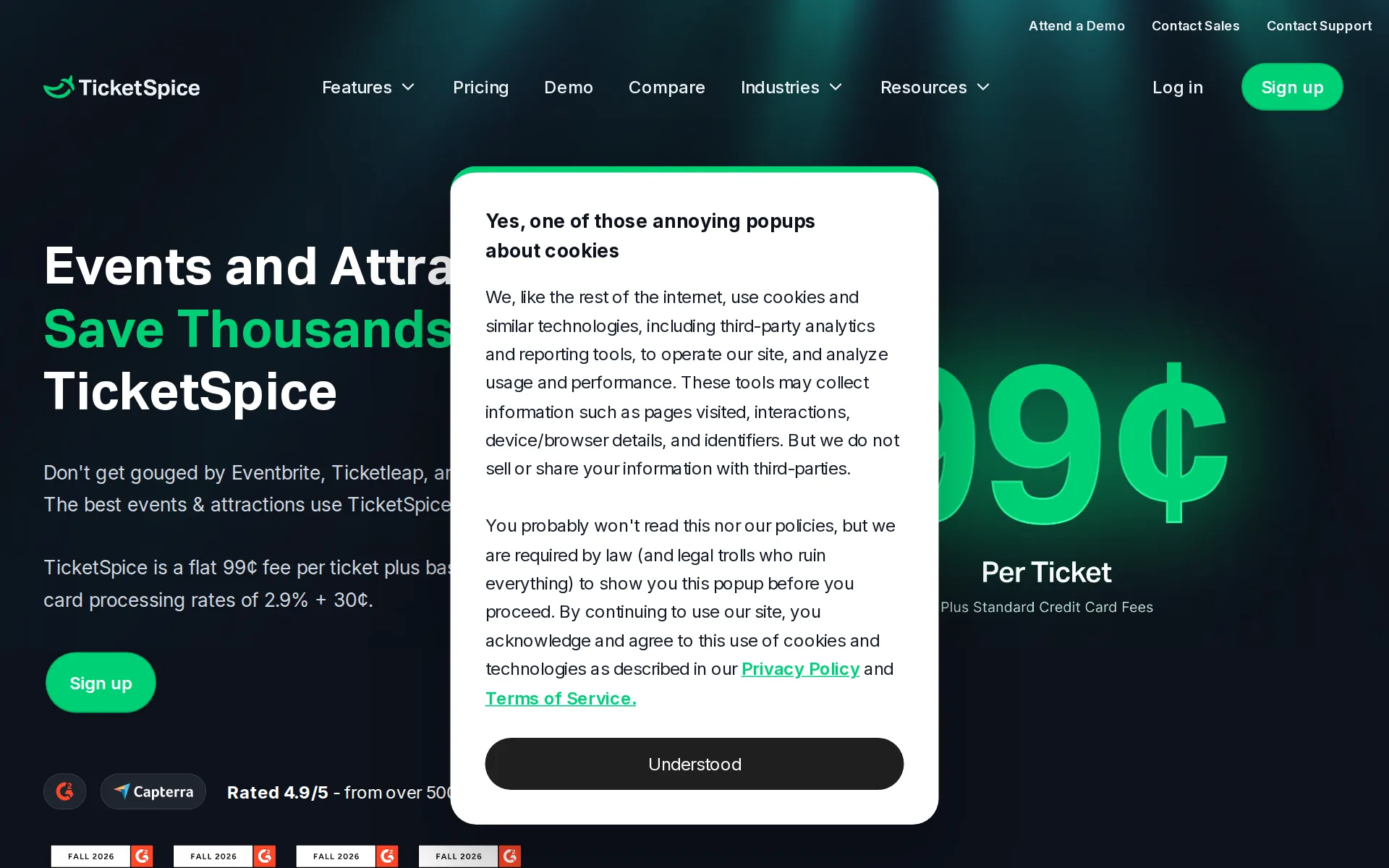
Pricing page, captured
ticketspice.com/pricing, checked
What we checked on TicketSpice
Fees on 200 tickets at $25
$175 in fees on 200 tickets at $25 on TicketSpice, all paid by the organizer: each ticket costs the buyer $25 and the organizer keeps $4,825. The organizer can pass the fees on to buyers instead.
TicketSpice is a flat 99¢ fee per ticket plus basic credit card processing rates of 2.9% + 30¢.
ticketspice.com/pricingChecked
Fees on 50 tickets at $25
$43.75 in fees on 50 tickets at $25 on TicketSpice, all paid by the organizer: each ticket costs the buyer $25 and the organizer keeps $1,206.25. The organizer can pass the fees on to buyers instead.
On the page: Pricing hero, headline pricing sentence
ticketspice.com/pricingChecked
The fee per ticket
One flat 99¢ fee per paid ticket, with no percentage and no cap, dropping to 49¢ on tickets of $5 or less and 49¢ on door sales through the box office app; card processing of 2.9% + 30¢ sits on top.
On the page: Pricing hero, headline pricing sentence
ticketspice.com/pricingChecked
Who pays the fees
The organizer chooses: pay the fees themselves out of the ticket price, or pass them to buyers, and any extra convenience fee the organizer adds is kept in full.
You can choose to absorb the fees or pass on the fees to your ticket buyers.
ticketspice.com/pricingChecked
Card processing
Card processing is separate from and on top of the per-ticket fee, run by in-house Webconnex Payments at 2.9% plus 30 cents per transaction.
Just 99¢ per ticket plus standard credit card processing rates of 2.9% + 30¢ (that you can pass on to your attendees).
ticketspice.com/pricingChecked
All-in price at checkout
It depends on how the organizer configures the page: the vendor warns that its separate line item fee often breaks the FTC all-in rule and recommends absorbing fees or using the pass-on setting instead.
A recent FTC regulation requires all ticketing pages clearly display the full cost of the ticket price, including any additional fees, up front
Free events
Free events are free only if you also run paid events on the platform; organizers who only run free events pay 99 cents per free ticket.
Event organizers who run paid events can run free events for free. If you are not organizing paid events, the pricing is 99¢ a ticket.
ticketspice.com/pricingChecked
Fees on refunds
Fees come back only on a full refund processed through Webconnex Payments; on partial refunds, custom processors and offline orders the organizer eats them.
we refund the TicketSpice and payment processing fees if you issue a full refund. If you process a partial refund, the TicketSpice and processing…
Plans and subscriptions
There is no subscription at all for ticketing: the vendor states there are no monthly fees, and the only recurring charges are optional marketing add-ons such as text messaging.
There are no setup fees, monthly fees, or credit cards required, so you can create an account and start selling tickets right away.
Donations and tips
Buyers can add a donation to an order with a donation field, or give without attending through a donation ticket level; the field carries no platform fee while a donation ticket level pays the 99¢ per ticket fee, and checkout can ask donors to cover the processing fee rather than tipping the platform.
For the Donation Field, there are no TicketSpice platform fees for a ticket buyer's donation. Standard credit card processing fees apply based on the…
Refund protection at checkout
offered, off by default: the organizer adds Purchase Protection to a page, it appears as an optional upgrade before payment, costs the organizer nothing and is paid for by the enrolling buyer.
Purchase Protection is free for event organizers and only collects a small fractional fee to attendees who enroll.
Sales tax on tickets
adds a tax line: you can attach a line item fee for sales tax as a flat amount or a percentage, but nothing says TicketSpice collects or remits the tax for you.
In TicketSpice, you can add a line item fee to your page to charge for sales tax and other indirect fees required for your event.
When you get the money
Money goes to the organizer's own bank account on a chosen schedule as tickets sell, not after the event, with fees netted out and no payout charge named.
Unlike many other ticketing companies that make you wait weeks or months to get paid, we offer weekly payouts directly to your bank account.
ticketspice.com/pricingChecked
Disputed charges
The disputed amount is pulled back from the organizer's Webconnex Payments account along with a $15 fee that is kept whatever the outcome, and Webconnex contests the dispute on the organizer's behalf at no extra cost, with verdicts typically taking 90 to 120 days.
When a chargeback is initiated, the original transaction amount debited from your Webconnex Payments account, and a $15 chargeback fee is also…
Your buyers’ details
Organizers get ticket holder names, emails and custom answers as exports, and can email those past attendees from the platform's own campaign tools.
Export details about your tickets and ticket holders, including ticket holder information and questions you asked each attendee
Ticket types and discounts
Unlimited ticket levels plus rules-based pricing cover early bird discounts, late increases, group discounts and inventory-triggered prices; coupon codes are created per page or globally.
With actions, fully automate early bird ticket discounts, late price increases, holiday deals, group discounts, time slots, and more.
Reserved seating
Buyers pick seats on a chart the organizer builds, with pricing tiers per seat, holds, tables and pods, and a seat-view preview on mobile.
Create your own seating chart in minutes using our simple web interface. From simple venues to complex ones, our drag and drop reserved seating chart…
Questions at checkout
You can ask your own questions at order level and collect name, contact details and custom responses for each individual ticket holder.
Collect the name, contact information, and custom responses for every ticket holder to streamline check-in, communication, and planning for your event
Registration forms and waivers
The drag-and-drop builder offers dozens of field types and integrated e-signature waivers, with optional selfie or photo ID checks on the signer.
TicketSpice gives you integrated digital signatures for waivers and release of liability forms directly within your event page.
Timed entry
Tickets can be sold by date and time slot with a capacity ceiling per day or slot that applies across every ticket level, and exemptions where needed.
With TicketSpice, you can set a capacity limit for a given day or time slot and we'll make sure your sales across all ticket levels won't exceed that…
Waitlist
The vendor states plainly that no waitlist exists today and points organizers to its sister product RegFox if they need one.
No, TicketSpice does not currently offer a waitlist feature. If you want to offer a waitlist, we recommend using our sister product, RegFox.
Online events
Livestream, Zoom or pre-recorded events are supported: buyers receive access codes tied to one IP at a time, and content can be gated by ticket level.
Simply embed the player from your streaming service in TicketSpice's virtual event settings and ticket buyers will be issued tickets containing…
Sell on your own website
The ticketing page can be embedded in your own site as an iframe, a pop-over window or a tickets widget so buyers never leave it.
TicketSpice provides the code needed to embed your ticketing page as an iframe
Website builders
embed only: the documented route for Squarespace, Wix, Weebly and WordPress is pasted iframe, pop-over or widget code, not a platform-specific plugin or app.
If you are using a website builder like Wix, Squarespace, Webflow, Wordpress, this method works too
Add-ons
Merchandise, upgrades and experiences can be added to the order with their own inventory limits and variants, at no extra platform charge.
Including add-ons and upgrades to your event on TicketSpice is incredibly easy and is free of any additional fees or charges.
Recurring events
A date range with blackout dates covers multi-day, daily and recurring runs from one page, and an Event Series page type handles a set of shows.
Choose the date range you want to sell tickets, specify if you need to sell tickets by time slot, set blackout dates, and you are set.
Refunds and transfers by buyers
If the organizer switches it on, buyers manage themselves in an Account Center: resend, edit, transfer to someone else and take partial refunds.
Allow attendees to resend and print tickets and view, edit, transfer and/or partially refund their orders in the Attendee Account Center
Check-in app
A free iOS and Android app scans QR tickets, syncs across devices for duplicate detection, and the vendor says it keeps working with no connection.
We get it. Stuff happens. Internet connections can fail or slow to a snail's pace. Never fear, the TicketSpice app will work offline and continue to…
Door sales
The box office app sells at the door by card, tap-to-pay or cash, and the per-ticket fee drops to 49 cents on card sales with no fee at all on cash.
When using the box office app, your ticket pricing drops down to 49¢ per paid ticket.
ticketspice.com/pricingChecked
Apple Wallet
An Apple Wallet option on the confirmation page lets buyers add their ticket to the Wallet app, and it is switched on by default.
The Show Apple Wallet checkbox allows attendees to easily add their confirmation to their Apple Wallet app on their iPhone if desired.
Email to buyers
Drip and winback campaigns to past attendees run inside the account; email blasts are metered at two cents per email, with confirmations free.
Marketing email automations for you create drip campaigns to campaigns to your past attendees or your email database.
ticketspice.com/pricingChecked
Ad tracking
Conversion tracking covers the Meta pixel and Conversion API plus Google Analytics, Google Ads and TikTok pixels on the ticketing page.
With support for platforms like Google Analytics, Google Ads, Facebook Pixel, and Tiktok Pixel, you can monitor key metrics such as traffic,…
Promoter links
Tracking links give each promoter a named code appended to the page URL, and the attributed orders show up in exports and reporting.
The Tracking Links feature lets you create unique URLs for your page that discreetly record where each registration originates.
Works with
Connections run through Zapier, which the vendor names for Mailchimp, Salesforce, HubSpot and QuickBooks among CRM, marketing and accounting tools.
Using our Zapier integration, your TicketSpice data can be seamlessly integrated with your favorite CRM, marketing, project management, and…
API
A documented REST API with self-serve keys is included for every account, but the vendor says it is largely read-only and it will not support custom builds.
Our API largely only supports reading data via GET requests
Canada
For processing payments outside the US and Canada, a popular option is Stripe.
Our in-house processor, Webconnex Payments can process payments either in USD or CAD. For processing payments outside the US and Canada, a popular…
Free to start
The account and the software cost nothing up front, and the organizer can switch on a setting that passes every platform and card fee to buyers.
we have a setting that automatically passes on all TicketSpice fees and credit card fees to your buyers
Sign up without a sales call
You can create an account with no card, build the page and publish the same day; a demo and a sales call are offered but not required.
Free to signup. No setup fees, hidden fees, contracts, or shenanigans.
ticketspice.com/pricingChecked
Contract
No contract, no annual commitment and no exclusivity is named; pricing is stated as pay-as-you-go per ticket with no termination terms mentioned.
TicketSpice is a simple 99¢ fee per attendee + standard credit card processing rates of 2.9% + 30¢. No contracts, annual fees, or hidden costs.
ticketspice.com/pricingChecked
Support on event day
Chat, email, phone and Zoom are offered free on every account, but staffed hours are 8am to 5pm Pacific on weekdays with only limited weekend cover.
Available 8:00 am - 5:00 pm (PST) Monday - Friday. Limited support on weekends.
ticketspice.com/supportChecked
TicketSpice alternatives
All 9 alternatives6 more alternatives
All 9 publish a price.
- RSVPifyFree, then $0.90 per ticketRegistration, ticketing, guest management, seating, and QR-code check-in in one platform.
- RunSignupFreeFree endurance-event registration platform billed only through per-transaction processing fees.
- HumanitixFree, then $1.29 per paid ticketNonprofit ticketing: 5% + $1.29 a paid ticket, card processing included, profits to charity.
- ZeffyFreeFree fundraising platform for nonprofits with event ticketing, auctions and a built-in donor CRM.


Sources and changes
Last changed
Sources28
- ticketspice.com/pricing
- help.ticketspice.com/en/articles/9006400
- help.ticketspice.com/en/articles/8757593
- help.ticketspice.com/en/articles/9299044
- ticketspice.com/features/timed-entry-event-ticketing-software
- help.ticketspice.com/en/articles/11068100
- help.ticketspice.com/en/articles/13317370
- help.ticketspice.com/en/articles/13849063
- help.ticketspice.com/en/articles/2471507
- help.ticketspice.com/en/articles/2474932
- help.ticketspice.com/en/articles/2671193
- help.ticketspice.com/en/articles/2829765
- help.ticketspice.com/en/articles/5539462
- help.ticketspice.com/en/articles/8616604
- help.ticketspice.com/en/articles/8706176
- help.ticketspice.com/en/articles/8752321
- help.ticketspice.com/en/articles/8754791
- help.ticketspice.com/en/articles/8814783
- help.ticketspice.com/en/articles/9359156
- ticketspice.com/features/conditional-logic-event-ticketing-software
- ticketspice.com/features/digital-release-waivers-for-event-ticketing
- ticketspice.com/features/event-ticketing-integrations-and-tools
- ticketspice.com/features/event-ticketing-purchase-protection
- ticketspice.com/features/reserved-seating-event-ticketing-system
- ticketspice.com/features/sell-upgrades-add-ons-and-merch-on-event-ticketing-pages
- ticketspice.com/features/ticket-scanning-app
- ticketspice.com/features/virtual-event-ticketing-software
- ticketspice.com/support
Is this yours?
Run this platform? Claim the page for free, see its visitors and add the owner mark. You confirm it with an email at ticketspice.com.
Report an error if a fact is wrong.