
Eventbrite in our research
Eventbrite price and terms
Terms
- Free plan
- YesYesUnlimited events of any size can be published at no cost
The terms in full
paid tickets, add-ons, and donations incur Ticketing Fees.
- Sign up without sales
- YesYes
What needs a higher plan
- Eventbrite Premium
- Contract
For AI agents
- API
- Yes
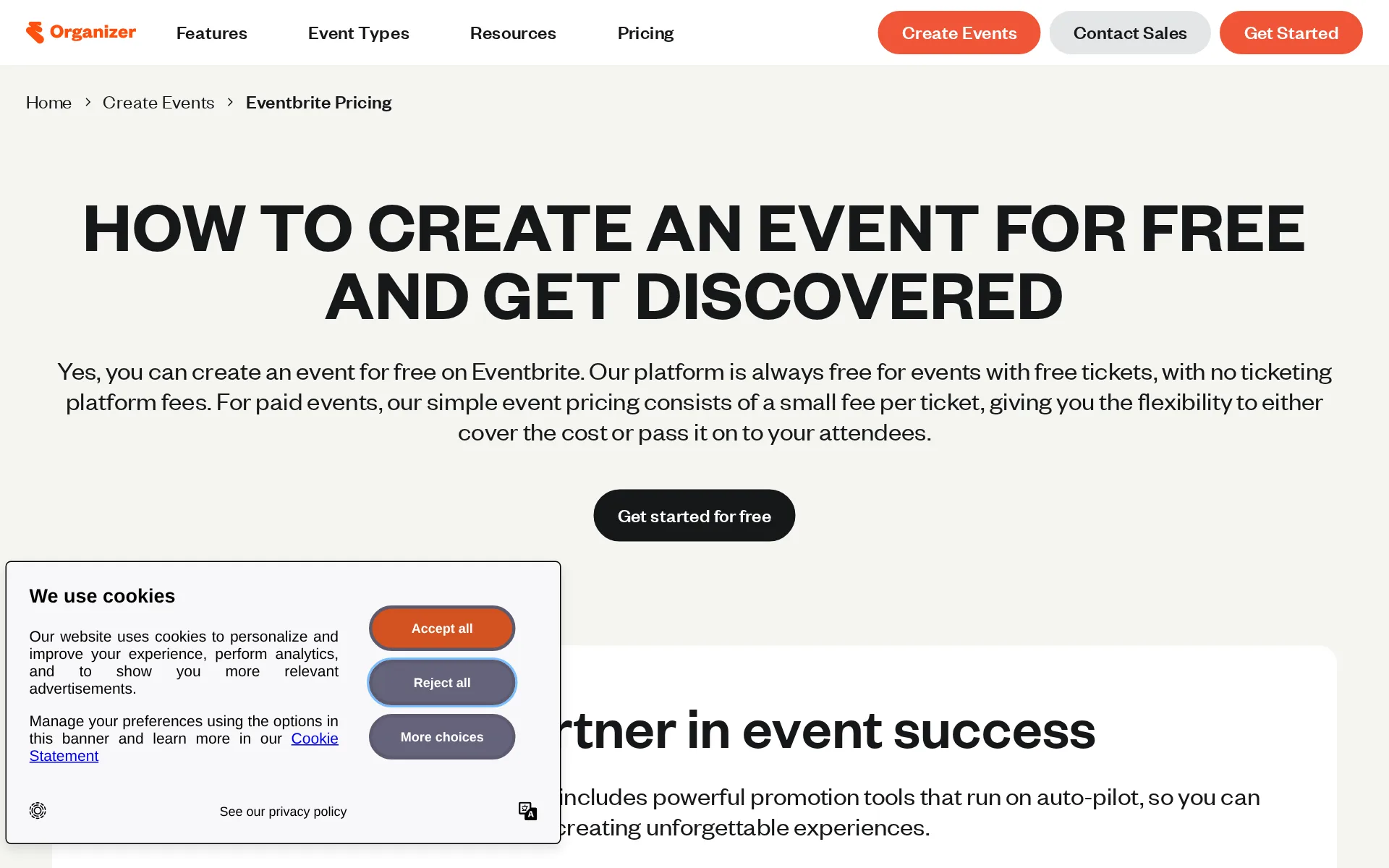
Pricing page, captured
eventbrite.com/help/en-us/articles/193833/eventbrites-new-pricing-plans, checked
What we checked on Eventbrite
Fees on 200 tickets at $25
$703.75 in fees on 200 tickets at $25 on United States, all paid by buyers: each ticket costs the buyer $28.52 and the organizer keeps $5,000.
On the page: Ticketing Fees per country table, United States row
Fees on 50 tickets at $25
$175.94 in fees on 50 tickets at $25 on United States, all paid by buyers: each ticket costs the buyer $28.52 and the organizer keeps $1,250.
On the page: Ticketing Fees per country table, United States row
The fee per ticket
For United States online paid tickets, Eventbrite publishes a percentage plus fixed service fee.
3.7% + $1.79 service fee per ticket
Who pays the fees
Buyers pay ticketing fees by default, while organizers can include them in ticket revenue.
By default, Ticketing Fees are paid by your ticket-buyers. However, when you create a paid ticket type, you can choose who will pay the Ticketing…
Card processing
Eventbrite Payment Processing is the default online processor; United States processing is 2.9% per order.
On the page: Ticketing Fees per country table, United States row
All-in price at checkout
Fees can be included in a chosen ticket price or added above it, so display depends on organizer settings.
Leave the box next to “Absorb fees” unchecked if you want attendees to pay the fees on top of the ticket price you set.
Free events
Free tickets have no ticketing fees for either organizers or ticket buyers.
If your tickets are free, you and your ticket-buyers don't pay any Ticketing Fees.
Fees on refunds
Ticketing fees stay with Eventbrite by default, but organizers can pay them from their payout.
By default, Ticketing Fees are not refunded on orders.
Nonprofit rates
Verified nonprofits get 50% off a Pro subscription, but the per-ticket fees are the same as for everyone else; only donation tickets carry reduced rates in some countries.
There are no discounted rates for Ticketing Fees for nonprofit organizations, but donation ticket types have reduced Ticketing Fees in certain areas.
Plans and subscriptions
Eventbrite Premium is an optional monthly or annual subscription that adds marketing and support capabilities.
Eventbrite Premium is offered as a monthly or annual subscription. You save with annual billing.
Donations and tips
Donation tickets let buyers set the amount; United States donations have no service fee and 2.9% processing.
Attendees decide how much they want to donate when they place an order. Eventbrite collects Ticketing Fees on donation tickets depending on the…
Sales tax on tickets
Eventbrite collects, remits, and reports tax in locations where it is the collecting party.
Eventbrite remits and reports it on your behalf.
When you get the money
Standard payouts arrive three business days after an event; scheduled and instant alternatives have eligibility limits.
Eventbrite sends your event payout 3 business days after your event ends or on the custom payout schedule you select.
Disputed charges
Eventbrite is the merchant of record and fights disputes for you; if the bank sides with the buyer you are charged the order's net sales, while Eventbrite drops its own fees and pays any bank fee.
The charge will only be for the net sales of the order. Eventbrite waives all service and processing fees and covers any fees from the bank.
Your buyers’ details
Orders record buyer names and emails, while an organizer can collect names and emails for each ticket holder.
During registration, the person completing registration will enter a name and email address for each ticket.
Ticket types and discounts
Organizers can create paid, free, donation, early-bird, hidden-code, and group-oriented ticket types.
Give the ticket type a name, such as “General Admission” or "Early Bird.”
Reserved seating
Reserved-seating venue maps support sections, tables, ticket tiers, and individual seat selection.
Reserved seating: attendees pick their individual seats
Questions at checkout
Order forms accept custom required or optional questions for the buyer or each attendee.
If a question you want to ask isn’t listed, you can create your own custom questions.
Registration forms and waivers
Custom order-form questions and required additional terms let organizers collect fields and waiver agreement.
Give your attendees the ability to check a box to agree to your terms by including additional terms & conditions to your order form.
Timed entry
Recurring event setup supports several time slots per date, including timed-entry events.
Eventbrite's recurring event setup lets you create events with multiple dates and multiple time slots per date. Use this to make timed entry events
Waitlist
Waitlists can trigger after sellout or capacity, but are unavailable for reserved-seating events.
This feature is not available for events using Eventbrite Reserved Seating.
Online events
Eventbrite describes its ticket types as supporting both in-person and online events.
Flexible ticket types for in-person or online events
Sell on your own website
Embedded Checkout sells tickets on an organizer website while attendees complete purchase without leaving it.
Sell tickets right from your website or blog with our website integration. Attendees complete the purchase without leaving your website.
Website builders
embed only: the documented website path is Embedded Checkout requiring website HTML and HTTPS.
Adding embedded checkout requires access to your website's HTML. Also, you must have an HTTPS certificate for attendees to complete their…
Add-ons
Add-ons can sell merchandise and other extras, including to visitors without an event ticket.
Anyone who visits your event can register or buy an add-on, even if they don't have a ticket.
Recurring events
A recurring-event setup creates repeating dates and time slots under a single event.
Use this to make timed entry events or events that repeat across multiple dates.
Refunds and transfers by buyers
Organizers can enable self-service ticket type, date, and event changes for qualifying paid public events.
you can allow attendees to change their registration to a different ticket type or event.
Check-in app
The Organizer app scans QR tickets on iOS and Android; the reviewed source does not document offline scanning.
The Eventbrite Organizer app is an all-in-one solution for a smooth check-in process, letting you scan tickets and access attendee data instantly.
Door sales
The Organizer app sells tickets at the door; United States fees are $1 per ticket plus 2.9% card processing.
$1 per paid ticket | 2.9% of the total order
Apple Wallet
Attendees can add Eventbrite tickets to Apple Wallet for access after checkout.
Add tickets to your Apple or Google wallet for quick and easy access.
Google Wallet
Attendees can add Eventbrite tickets to Google Wallet for access after checkout.
On the page: Access your tickets section
Listed where buyers browse
Eventbrite publishes organizer events on its own discovery marketplace for local ticket buyers.
Eventbrite’s powerful discovery marketplace connects local ticket-buyers to your events.
Email to buyers
The organizer product includes built-in email campaigns and a paid option for higher daily sending limits.
On the page: Get discovered and Add what you need sections
Ad tracking
Organizers can add Meta or Google pixels to events using a self-service tool.
You'll need to create a tracking pixel with an outside service, like Meta or Google. Then add the pixel to your event using our self-service tool.
Promoter links
You can create a named tracking link per promoter and see the views and sales each one brought in, with a per-link attendee report to export.
When you use tracking links, you can see how many people visit that link and buy tickets through it.
Works with
Eventbrite advertises an App Marketplace with more than one hundred trusted apps for integrations.
Enhance your event planning and management with over 100 trusted apps available in the Eventbrite App Marketplace.
API
Eventbrite publishes REST API documentation for communication between Eventbrite and an application or website.
Use the Eventbrite REST API to communicate between Eventbrite and your application or website.
United States
Eventbrite Payment Processing lists United States USD, Canada CAD and USD, and United Kingdom GBP.
On the page: Supported payout countries and attendee payment methods table
Canada
Eventbrite Payment Processing lists United States USD, Canada CAD and USD, and United Kingdom GBP.
On the page: Supported payout countries and attendee payment methods table
United Kingdom
Eventbrite Payment Processing lists United States USD, Canada CAD and USD, and United Kingdom GBP.
On the page: Supported payout countries and attendee payment methods table
Free to start
Organizers can publish unlimited free events at no cost, while attendees ordinarily pay paid-ticket fees.
Eventbrite allows organizers to publish unlimited events of any size at no cost.
Sign up without a sales call
The organizer pricing page provides a self-service Get Started route to create an event.
Get started for free
Contract
Eventbrite Premium can be canceled in account settings, but the subscription stays active through its billing cycle.
Your subscription will still be active until the end of your current billing cycle, but you won't be charged again.
Support on event day
Email support is listed generally, while 24/7 chat is for paid events and phone access is for larger plans.
24/7 chat support for paid events
Eventbrite alternatives
All 9 alternatives6 more alternatives
8 of the 9 publish a price.
- RunSignupFreeFree endurance-event registration platform billed only through per-transaction processing fees.
- TicketSpiceFrom $0.99 per ticketFlat 99¢-per-ticket ticketing for events and attractions, with in-house payments and a box office app.
- HumanitixFree, then $1.29 per paid ticketNonprofit ticketing: 5% + $1.29 a paid ticket, card processing included, profits to charity.
- RSVPifyFree, then $0.90 per ticketRegistration, ticketing, guest management, seating, and QR-code check-in in one platform.


Sources and changes
Last changed
Sources on eventbrite.com35
- /help/en-us/articles/755615/how-much-does-it-cost-for-organizers-to-use-eventbrite
- /organizer/pricing
- /help/en-us/articles/193833/eventbrites-new-pricing-plans
- /organizer/features/organizer-check-in-app
- /help/en-us/articles/111819/understanding-your-event-payout-amount
- /help/en-us/articles/246376/how-to-collect-information-from-all-event-attendees
- /help/en-us/articles/333111/what-does-the-checkout-process-look-like-with-eventbrite-payment-processing
- /help/en-us/articles/347218/how-to-sell-eventbrite-tickets-on-your-website-through-an-embedded-checkout
- /help/en-us/articles/692566/create-a-recurring-or-timed-entry-event-in-eventbrites-new-recurring-event
- /organizer/features/sell-tickets
- /help/en-us/articles/115913/set-up-a-payout-schedule
- /help/en-us/articles/133701/how-to-set-up-attendee-self-service-registration-event-transfers
- /help/en-us/articles/158301/how-to-refund-an-order
- /help/en-us/articles/228823/how-to-create-custom-questions-for-attendees
- /help/en-us/articles/337081/how-to-set-up-an-online-only-event
- /help/en-us/articles/431834/how-to-transfer-tickets-to-someone-else
- /help/en-us/articles/460357/how-to-fundraise-and-collect-donations-with-eventbrite
- /help/en-us/articles/496608/download-an-attendees-report
- /help/en-us/articles/545999/how-does-eventbrite-handle-chargebacks
- /help/en-us/articles/585157/can-my-nonprofit-or-charity-get-lower-fees-for-our-events
- /help/en-us/articles/598933/getting-started-with-tracking-pixels
- /help/en-us/articles/624500/how-to-sell-additional-items-like-merchandise-for-your-event
- /help/en-us/articles/644100/how-to-create-custom-ticket-types
- /help/en-us/articles/683914/how-to-set-up-a-reserved-seating-event
- /help/en-us/articles/684098/how-to-charge-sales-tax-on-tickets
- /help/en-us/articles/705340/comparing-payment-processing-options
- /help/en-us/articles/741083/how-to-check-in-attendees-at-the-event-with-eventbrite-organizer
- /help/en-us/articles/742680/how-to-sell-tickets-at-your-event-with-eventbrite-organizer
- /help/en-us/articles/783059/how-to-use-the-eventbrite-app
- /help/en-us/articles/811539/how-to-set-up-an-event-waitlist
- /help/en-us/articles/835126/how-to-create-promotional-tracking-links
- /help/en-us/articles/890557/how-to-include-a-waiver-with-registration
- /organizer/features/all-features
- /platform/docs/api-basics
- /platform/new/api
Is this yours?
Run this platform? Claim the page for free, see its visitors and add the owner mark. You confirm it with an email at eventbrite.com.
Report an error if a fact is wrong.