

EventCreate price and terms
Terms
- Free plan
- YesYes
The terms in full
Free Forever plan: 1 event, 50 attendees per event, 1 user, 1 ticket type, 0 emails per month, and a 5% ticketing fee on each paid ticket.
- Sign up without sales
- YesYes
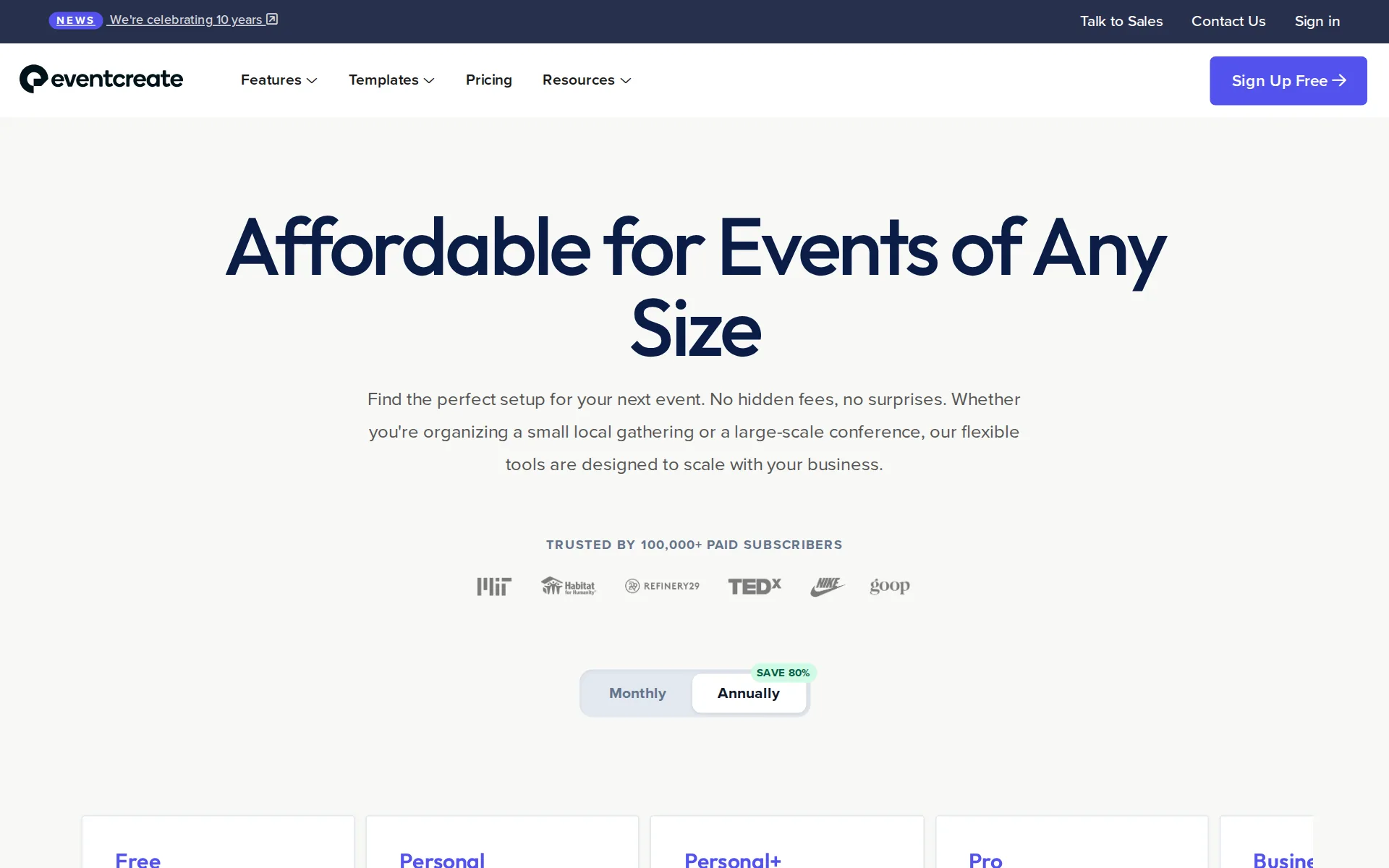
Pricing page, captured
eventcreate.com/pricing, checked
What we checked on EventCreate
The fee per ticket
EventCreate charges a percentage of each paid ticket with no fixed component and no cap, and the rate falls by plan from 5% on Free to 0% on Enterprise.
Ticketing Fee Fee charged per paid ticket sold. Payment processing fees are separate.
eventcreate.com/pricingChecked
Who pays the fees
You choose who covers the Stripe processing fee, with attendee-pays set as the default; the vendor's pages never say who carries the EventCreate ticketing percentage.
EventCreate's default settings are Attendee Pays fees. You can change this under Setup > Registration > Payment tab > scroll down to the Fees section.
Card processing
Stripe processes every card payment at 2.9% plus $0.30 per transaction in the US, charged on top of and separately from EventCreate's own ticketing percentage.
Stripe, our integrated payment processor, charges credit card processing fees of 2.9% + $0.30 USD per transaction.
All-in price at checkout
Since the FTC ticket-transparency rule, every applicable fee is printed beside the ticket price rather than appearing only at checkout as it did before.
Any ticket sold through EventCreate will now show all applicable fees next to the ticket price, making the checkout process clearer and fully…
Free events
The ticketing percentage is defined as a charge per paid ticket sold, so RSVPs and free tickets carry no EventCreate fee, and Stripe is only involved on paid orders.
On the page: Compare Plan Features table, Ticketing Fee row header note
eventcreate.com/pricingChecked
Fees on refunds
Refunding a buyer returns the ticket price but not the fees: Stripe keeps its processing fee and the EventCreate fee is also not returned, so the organizer absorbs both.
Processing fees are non-refundable and the host absorbs the processing fee (since Stripe does not return fees on refunded payments). This means if…
Nonprofit rates
Verified 501(c)(3) nonprofits and educational institutions get 15% off annual subscriptions by emailing the vendor; the per-ticket percentage itself is not reduced.
Yes, we offer a 15% discount on our annual plans for verified 501(c)(3) non-profit organizations and educational institutions.
eventcreate.com/pricingChecked
Plans and subscriptions
Nine subscription tiers are sold monthly or annually, and the plan you pick sets both the attendee ceiling per event and the ticketing percentage, from 5% down to 0%.
On the page: Compare Plan Features table, Ticketing Fee row across all nine plan columns
eventcreate.com/pricingChecked
Donations and tips
Buyers can donate during registration or through a standalone donation form, in a fixed or self-chosen amount; nothing on the site describes a checkout tip to EventCreate itself.
If you are raising funds for your event or for your organization, you may also accept donations. Donations can a fixed amount or flexible amout,…
eventcreate.com/featuresChecked
Sales tax on tickets
adds a tax line: the platform never calculates or remits sales tax or VAT for you, but you can itemize a tax or extra fee yourself, or build it into the ticket price.
EventCreate does not automatically charge ticket tax, VAT, or sales tax. Instead, we recommend that you include any applicable taxes directly in your…
When you get the money
Money goes to your own connected Stripe account as tickets sell, and Stripe pays out to your bank on a two-day rolling basis, with up to ten days for a first payout.
Payments via EventCreate are sent to Stripe immediately. Stripe will then transfer payouts to your bank account on a 2-day rolling basis.
Your buyers’ details
You keep full ownership of attendee records, can export them to CSV or Excel at any time, and the vendor states it never markets to your attendees.
You do. You maintain 100% ownership of your attendee data, and you can export your lists at any time in standard CSV or Excel formats. We never sell…
eventcreate.com/pricingChecked
Ticket types and discounts
Multiple ticket types, percentage or fixed-amount coupons with redemption limits, add-ons and bundled group or table tickets are all supported, though ticket types are capped per plan.
EventCreate's enterprise-level ticketing system allows you to sell multiple ticket types and fully customize your ticket settings, all in just a few…
eventcreate.com/featuresChecked
Reserved seating
There is a drag-and-drop seating chart, but the vendor describes the organizer assigning attendees to seats rather than buyers choosing their own seat during checkout.
Create a custom seating chart for your event. Design your custom layout, and easily drag-and-drop attendees to assign seatings.
eventcreate.com/featuresChecked
Questions at checkout
You can add your own custom questions to the registration and checkout flow, including multiple choice and file or image uploads, with the number capped by plan.
Need to collect more information from attendees? Ask your attendees custom questions upon registration and checkout.
eventcreate.com/featuresChecked
Registration forms and waivers
Registration forms take your own fields and design, and a waiver is handled by adding its text as a required acknowledgement checkbox rather than a dedicated waiver tool.
Include the text of the waiver in the description and use a required "yes" checkbox to require that registrants read and acknowledge before purchase.
Timed entry
Timed slots are built by hand: multi-event registration lets buyers pick a date and time from tickets you create per slot, and capacity is set per ticket, with no purpose-built timed-entry tool.
To set up one website for all events, use Multi-Event registration so your attendees can choose the date/time they want to attend. Create a ticket…
Waitlist
No waitlist opens automatically when an event sells out; the vendor's documented route is a secondary form or confirmation-message notice that you then manage yourself.
We don't automatically enable a waitlist once your event fills to capacity, but you can manually set up a waitlist a few ways
Sell on your own website
An embedded form drops the registration and checkout flow straight into your own page with configurable size and button text, so buyers never leave your site.
The Embedded Form feature lets you place your EventCreate registration form directly on your website or web page. Instead of sending attendees to a…
Website builders
embed only: the registration form is pasted in as HTML embed code and the vendor claims it works on most platforms that accept embeds, naming no WordPress, Squarespace, Wix or Shopify plugin.
The form works on most website platforms that allow HTML embed code.
Add-ons
Add-ons such as merchandise, meals, raffle or drink tickets are offered to buyers during checkout, with the number of add-ons capped by plan.
Sell add-ons to generate extra event income. Add-ons can be a great way to sell t-shirts, raffles, drink tickets or just about anything. If setup,…
eventcreate.com/featuresChecked
Recurring events
There is no native recurring-event series: you either sell one ticket per date through multi-event registration or duplicate the event site for each occurrence.
Creating a calendar requires separate websites for each iteration of the event.
Refunds and transfers by buyers
Refunds, guest changes and ticket swaps are all organizer actions taken in the dashboard; the vendor documents no buyer-facing self-service refund or ticket transfer.
If an attendee has already registered and needs to change the number of guests they're bringing, use the options below. Adding a Guest If an attendee…
Check-in app
The iOS check-in app scans QR-coded PDF tickets free of charge, but the vendor labels offline check-in as coming soon rather than available today.
Coming soon: offline event check-in
Door sales
Offline payment accepts cash, check, invoice or pay-at-the-door orders, and the vendor notes you must chase that payment yourself; no card terminal of its own is described.
Common examples include: Payment by Cash, Payment by Check, Payment by Invoice, Pay at the Door, or payments via Zelle, Venmo, or PayPal.
Apple Wallet
Apple Wallet passes are switched on per event in the confirmation settings, and buyers on mobile get an add-to-wallet button, with a custom color and logo on the pass.
Locate "Apple Wallet Passes" on the left-hand side and enable the setting. From here, you can also personalize your pass by adding a custom color and…
Listed where buyers browse
There is no consumer marketplace: the vendor states it never advertises on your event site or promotes other organizers' events to your audience.
No ads or competing events We never run ads on your websites, or market related events from other users.
eventcreate.com/featuresChecked
Email to buyers
Invitations, reminders and email blasts go to your uploaded contact lists and past attendees from the dashboard, with a monthly send allowance that rises by plan.
Upload your contact lists and send custom online invitations and promote your event online in seconds.
eventcreate.com/featuresChecked
Ad tracking
You can paste a Google Analytics or AdWords tracking code onto the event site to follow traffic and ad campaigns; a Meta pixel is not named anywhere on the site.
Easily install your google analytics tracking code or adwords tracking code to view traffic across your properties or track an ad campaign.
eventcreate.com/featuresChecked
Promoter links
Unique affiliate URLs are issued to promoters or campaigns and tracked automatically with no setup, though the number of affiliates is capped by plan.
Distribute unique URLs to track the success rates and metrics for your event promoters or advertising campaigns. EventCreate automatically tracks…
eventcreate.com/featuresChecked
Works with
Salesforce, HubSpot and Mailchimp connect out of the box and Zapier reaches the rest, with the pricing table listing Zapier from the Agency tier upward.
Yes, our platform includes out-of-the-box integrations with popular CRMs like Salesforce and HubSpot, plus thousands of other tools via Zapier,…
eventcreate.com/pricingChecked
Free to start
The Free plan costs nothing and sells tickets, but it takes a 5% ticketing fee per paid ticket and caps the account at one event and 50 attendees.
Free Free Forever - 1 event - 50 attendees - 1 user
eventcreate.com/pricingChecked
Sign up without a sales call
You sign up and publish without talking to anyone; sales contact is reserved for the Custom tier and add-ons such as on-site rentals and SSO.
Free forever plan Personal and Professional Events Get setup in 30 seconds
Contract
Every plan card says cancel anytime and nothing claims exclusivity; canceling mid-term keeps premium access to the end of the term, and the vendor gives no refunds.
If you cancel your subscription in the middle of your billing term, you will have access to premium features until the end of your billing term.
Support on event day
Email support runs 24/7 and live chat on weekdays; phone support is an optional extra rather than standard, which matters when a door opens on a weekend.
We're here for you. EventCreate offers email support 24 hours a day, 7 days a week. Our customer care specialists typically respond within a few…
eventcreate.com/featuresChecked
EventCreate alternatives
All 9 alternatives6 more alternatives
8 of the 9 publish a price.
- EventbriteFree, then $69 a monthTicketing platform with a buyer-discovery marketplace and optional fee transfer.
- HumanitixFree, then $1.29 per paid ticketNonprofit ticketing: 5% + $1.29 a paid ticket, card processing included, profits to charity.
- TicketSpiceFrom $0.99 per ticketFlat 99¢-per-ticket ticketing for events and attractions, with in-house payments and a box office app.
- Ticket TailorFree, then about $0.80 per ticketFlat per-ticket fee ticketing paid into your own Stripe, PayPal or Square account.


Sources and changes
Last changed
Sources19
- eventcreate.com/features
- eventcreate.com/pricing
- support.eventcreate.com/en/articles/12696964-embedded-form
- support.eventcreate.com/en/articles/6115826-can-i-set-up-weekly-or-other-recurring-events
- support.eventcreate.com/en/articles/11430597-adding-fees-taxes-or-vat-to-your-event
- support.eventcreate.com/en/articles/12093183-why-ticket-fees-are-now-visible
- support.eventcreate.com/en/articles/12162892-how-refunds-work-with-stripe-and-eventcreate-fees
- support.eventcreate.com/en/articles/13445472-how-to-add-or-remove-guests-after-registration
- support.eventcreate.com/en/articles/17312909-how-to-enable-apple-wallet-for-event-tickets
- support.eventcreate.com/en/articles/2906355-when-can-i-expect-stripe-payouts-how-do-i-get-the-money-out-from-my-event
- support.eventcreate.com/en/articles/5898603-how-to-cancel-a-subscription
- support.eventcreate.com/en/articles/5930356-how-do-i-set-the-currency-for-my-event
- support.eventcreate.com/en/articles/5942091-does-eventcreate-charge-ticket-fees-or-processing-fees
- support.eventcreate.com/en/articles/5948528-can-i-create-a-waitlist-for-my-event
- support.eventcreate.com/en/articles/5951840-how-to-accept-cash-checks-and-app-payments-on-eventcreate
- support.eventcreate.com/en/articles/6015376-who-pays-credit-card-fees
- support.eventcreate.com/en/articles/6023082-can-i-include-a-waiver-in-my-event-registration
- eventcreate.com/features/event-check-in-app
- eventcreate.com/features/sell-event-tickets-online
Is this yours?
Run this platform? Claim the page for free, see its visitors and add the owner mark. You confirm it with an email at eventcreate.com.
Report an error if a fact is wrong.